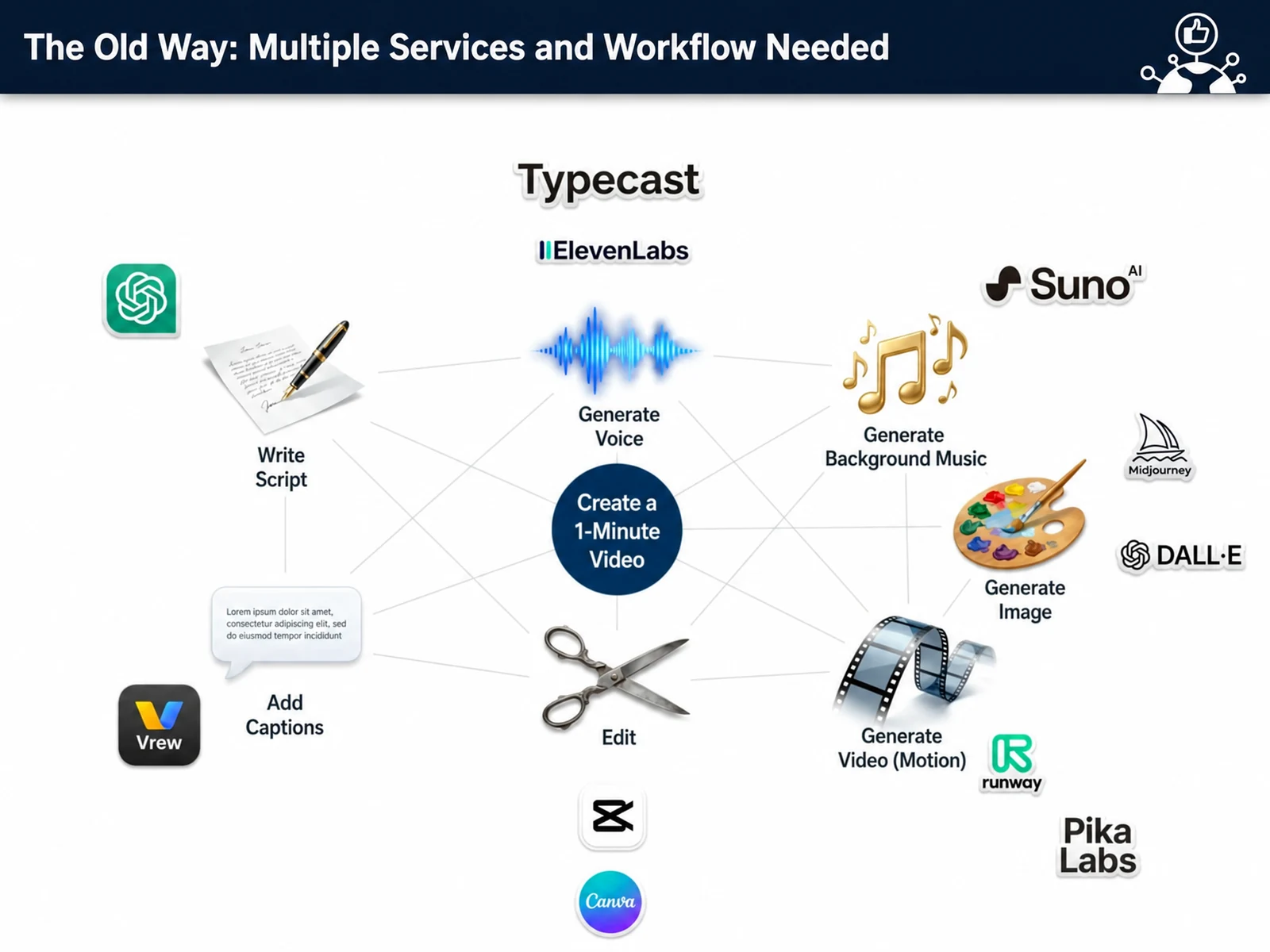
The AI Video Production course is a 4-hour intensive program on using AI to produce the marketing, sales, onboarding, and training videos companies actually need. Led by instructor John Kim, you will use the latest AI video tools, such as Runway VEO2/3, Sora, and Kling, to cover every step: planning, script automation, narration, avatar creation, editing, and post-production. By building video templates tailored to your company and setting up internal processes, you develop a production capability you can sustain. The hands-on curriculum has 6 modules that combine theory with company-specific practice, ending in a finished video. It is built on Nanum Consulting’s experience training 50+ major corporations and institutions.
💻 Start learning this topic with an online course →Who is this course for?
Ideal for marketers, content planners, and training managers responsible for video production. Any employee who wants to produce video content efficiently with AI tools can join, even with no prior video production experience.
What will you learn?
- Build AI-based video production skills matched to the video types companies use
- Templates and internal processes for marketing, sales, onboarding and training videos
Curriculum
- Structures by corporate video type (brand, product, sales, training, onboarding)
- Workflow for auto-generating scripts and storyboards with Grok
- Designing B2B value videos around customer personas and needs
- Defining prompts for scene composition, camerawork and tone
- One-page video brief and storyboard by purpose
- Setting up brand language for consistent corporate messaging
- Creating cinematic product intro and sales hook videos
- How to create industrial, manufacturing, factory and field videos without filming
- Controlling camera work, lighting, and depth of field with VEO
- Fine-tuning prompts for textures, backgrounds and objects
- Rules for reducing unnecessary fantasy effects in corporate videos
- Final quality check and retouching routine
- Sora vs. Kling vs. Runway: when to use each and how they differ
- Structuring Sora scenes for brand storytelling
- Using Kling’s strengths in human motion and physics-based rendering
- Mapping use cases for background, cityscape, logistics, facility, and aerial footage
- Building a matrix practitioners can use to set selection criteria
- Checkpoints for licensing, attribution, and copyright requirements
- Keeping a consistent company voice with ElevenLabs Voice Clone
- Automating presenter videos with D-ID and Synthesia
- Turning PPT slides into video and producing short presentation clips
- Background music and sound design with Suno
- Building a brand kit that applies your brand identity, colors, fonts, and tone to video
- Rules for keeping the closing logo, CTA, and campaign hashtags consistent
- Automating cut editing and organizing rough cuts
- Adjusting subtitles and tone in Vrew, with fewer errors
- Post-production routine: applying LUTs, color correction, background removal
- Output rules by format (landscape / portrait / square)
- Distribution policy templates for LinkedIn, YouTube and internal networks
- Creating a benchmark table for video length, hook and call to action
- Produce a video on one topic of your choice: brand, product, sales or onboarding
- Hands-on: applying a mixed Runway, Sora and Kling pipeline
- Sketch → script → generation / producing a 30–60 second video
- Creating templates and a repeatable production process
- Team feedback on videos, with revisions and remakes
- In-house adoption strategy and operating roadmap
Tools used in this course
Expected results / After the course
- Less reliance on outside vendors, shorter production lead times, lower costs
- Improving the quality of customer communication and sales content
On-site training references
About the instructor

Related courses
Start with an Online Course
Before you book on-site training, preview the essentials of this topic in an online course.
An introductory hands-on course for building work tools that run on plain conversational instructions.
Use AI in your daily work, from lesson prep to content creation.
We tailor this course to your company
From diagnosis to execution — Nanum Consulting
FAQ

AI Video Production
The AI Video Production course is a 4-hour intensive on producing, with AI, the marketing, sales, onboarding, and training videos companies actually use. Under the guidance of instructor John Kim, the
- Build AI-based video production skills matched to the video types companies use
- Templates and internal processes for marketing, sales, onboarding and training videos
- Less reliance on outside vendors, shorter production lead times, lower costs
- Improving the quality of customer communication and sales content
- Structures by corporate video type (brand, product, sales, training, onboarding)
- Workflow for auto-generating scripts and storyboards with Grok
- Designing B2B value videos around customer personas and needs
- Defining prompts for scene composition, camerawork and tone
- One-page video brief and storyboard by purpose
- Setting up brand language for consistent corporate messaging
- Creating cinematic product intro and sales hook videos
- How to create industrial, manufacturing, factory and field videos without filming
- Controlling camera work, lighting, and depth of field with VEO
- Fine-tuning prompts for textures, backgrounds and objects
- Rules for reducing unnecessary fantasy effects in corporate videos
- Final quality check and retouching routine
- Sora vs. Kling vs. Runway: when to use each and how they differ
- Structuring Sora scenes for brand storytelling
- Using Kling’s strengths in human motion and physics-based rendering
- Mapping use cases for background, cityscape, logistics, facility, and aerial footage
- Building a matrix practitioners can use to set selection criteria
- Checkpoints for licensing, attribution, and copyright requirements
- Keeping a consistent company voice with ElevenLabs Voice Clone
- Automating presenter videos with D-ID and Synthesia
- Turning PPT slides into video and producing short presentation clips
- Background music and sound design with Suno
- Building a brand kit that applies your brand identity, colors, fonts, and tone to video
- Rules for keeping the closing logo, CTA, and campaign hashtags consistent
- Automating cut editing and organizing rough cuts
- Adjusting subtitles and tone in Vrew, with fewer errors
- Post-production routine: applying LUTs, color correction, background removal
- Output rules by format (landscape / portrait / square)
- Distribution policy templates for LinkedIn, YouTube and internal networks
- Creating a benchmark table for video length, hook and call to action
- Produce a video on one topic of your choice: brand, product, sales or onboarding
- Hands-on: applying a mixed Runway, Sora and Kling pipeline
- Sketch → script → generation / producing a 30–60 second video
- Creating templates and a repeatable production process
- Team feedback on videos, with revisions and remakes
- In-house adoption strategy and operating roadmap