
Novel
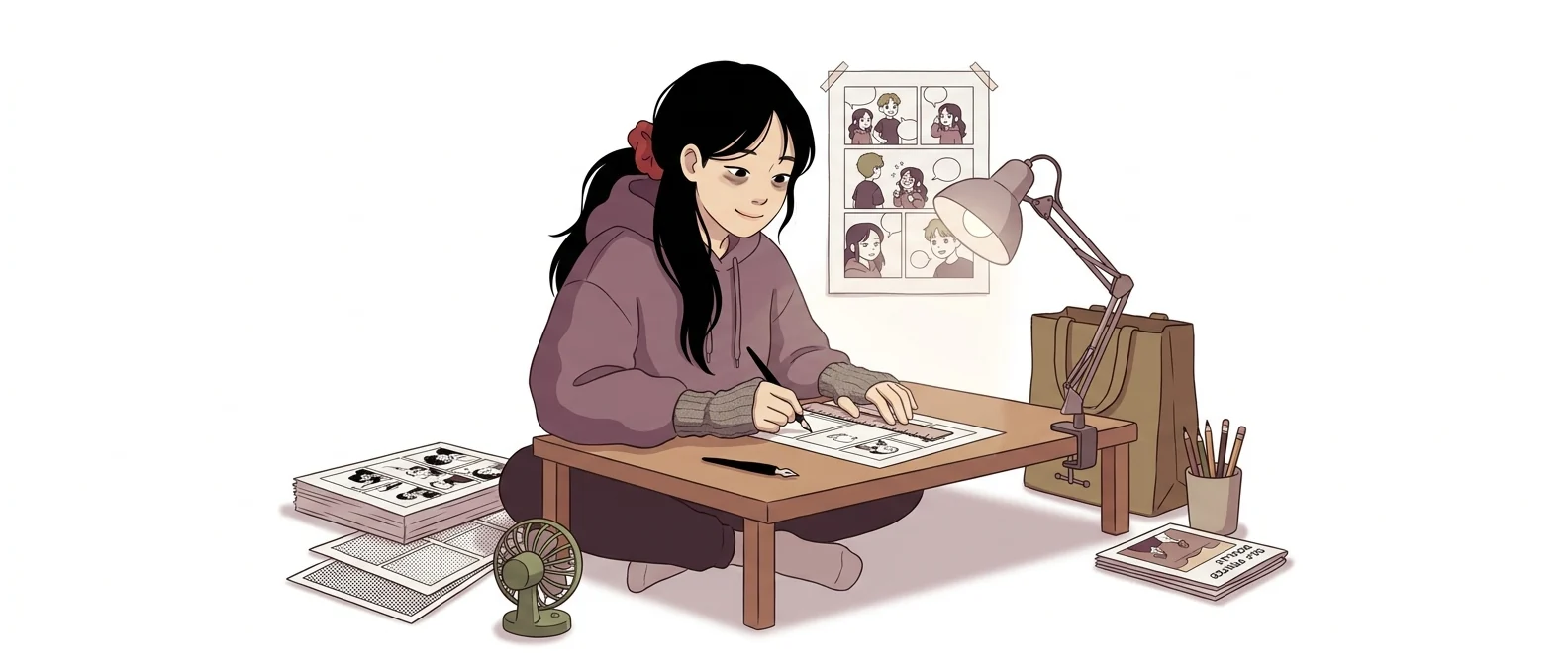
“For characters, manga, and subculture” — a fan artist devoted to anime-style art
What is Novel?
NovelAI is a subscription AI service run by Anlatan. It specializes in anime-style character illustration and story writing, and is popular among fan-art and anime creators.
- 1Built for one thing: anime-style character art
- 2Fiction writing and image generation in one account
- 3Honestly, there is little room for it in day-to-day office work
What sets it apart
These are the differences we found by running the same material through several tools in our training sessions.
Going deep on a single art style
General-purpose image AI covers everything from photos to watercolors, but this tool focuses on one niche: anime and manga-style characters. It renders the details that matter in that style, such as eyes, hair, and outfits, so the same description produces more consistent results.
A tag-list prompt style works well
Listing traits separated by commas works better than writing long sentences. Because you stack hair length, expression, composition, and background like line items, it is easy to trace what changes when you remove or add a word, and it helps keep character settings consistent.
Text and images in one place
It is not just an image generator; it also has a story continuation feature. According to the official documentation, paid tiers offer unlimited text generation, and the amount of context it remembers grows with your subscription tier. You can move between story and illustration in a single account.
⚖️ The weaknesses are clear, too
There is no free plan; once you use up the trial allowance, you must subscribe. Both the interface and the documentation are in English, and it is clearly a subculture creation tool that includes adult-oriented content. It is safer to treat it as a tool that does not belong on a company account or in a company training room.
💡 In plain EnglishThink of it less as a commercial illustrator who works across many genres and more as a fan artist who has spent ten years on one art style. Within that territory, it is highly skilled.
When choosing an AI tool, 'Does it fit our company?' matters as much as 'What is it good at?' This tool is a classic example of one that gets ruled out of work use because of what it is for, not how well it performs, which makes it useful for setting your selection criteria.
Same job, different approach
You decide to create a company mascot for training materials
The old way
- Send briefing materials to a freelance illustrator
- Review drafts and exchange revision feedback
- Request a new image every time the expression or pose changes
- Cost and time grow with every episode
With Novel
- List the art style and traits you want as tags
- Collect variations by changing only the expression and pose with the same tags
- Pick the usable compositions and attach them to your brief for the freelancer
- Confirm the rights situation before finalizing the version for internal distribution
Common uses
Define the character
Lock hairstyle, outfit, and color with tags, change only the expression and pose, and collect several images that look like the same character.
Reference images for freelancers
Turn a mood that is hard to describe into an image first, then attach it to your brief for the freelancer. It is for agreeing on direction, not for final delivery.
Story and illustrations together
Use story continuation to generate a scene description, then carry that description straight over into image tags to create an illustration. It suits personal creative projects.
Who it’s for
Best for
- ✓Individual creators who keep drawing anime- and manga-style characters
- ✓Anyone creating a story and illustrations together, such as web novels or webtoons
- ✓Anyone who wants to keep the same character consistent across many scenes
Better served by other tools
- –Anyone who wants business images for reports or proposals
- –Anyone who needs photorealistic people or product shots
- –Anyone looking for a tool to use with a company account
Can we use it at work?
The questions that adoption leads and security teams ask first.
Please verify: the scope of training-data use, the commercial-use terms for generated output, and whether team use is allowed. Check the official terms of service for each.
10-minute quick start
- 1
Sign up at novelai.net and complete email verification. A trial allowance is provided.
- 2
On the image generation screen, list the traits you want, separated by commas.
- 3
List any elements you want removed in the exclusion field and generate again.
- 4
Save the settings of an image you like, then change only the expression and pose next time.
Copy-and-paste prompts
Replace only the [bracketed] parts, then paste it in.
[1 woman], bob cut, large eyes, school uniform, library window seat, afternoon sunlight, soft coloring, upper-body composition. List the traits like this, separated by commas. Mixing in English tags (1girl, short hair, school uniform, library, soft lighting, upper body) makes results more stable.
Keep the tags from the previous step and swap only the expression field to [smiling face / surprised face / troubled face], generating each one separately. To keep the character looking like the same person, don’t touch the hair, outfit, or color tags.
In the exclusion field, enter [wrong finger count, text, watermark, background people]. What you leave out often changes the result more than what you put in.
Choose one of [full body / upper body / face close-up], and also specify the gaze direction and camera height. Example: full body, front view, eye-level camera, plain gray background.
From the scene description generated by story continuation, pick out only the character, outfit, setting, time of day, and mood, and rewrite them as tags. Short, noun-based phrases work better than pasting in whole sentences.
Using it with other tools
Linking two or three tools changes your work more than any single tool does.
Build a character sheet
Short story video (personal creative project)
Before you start
- There is no free plan. When the trial allowance runs out you have to subscribe, so test it first.
- Don’t sign up with a company email or company card. The service isn’t designed for workplace use.
- Requests that imitate a real person or a specific artist’s style can raise rights issues.
- If you plan to use the output commercially, check the rights clauses in the terms of service first.
Pricing
For individual use
30 images, 50 text generations, and 100 voice generations for an email-verified account
Unlimited text and voice generation, plus 1,000 Anlas every month
Larger memory capacity, 1,000 Anlas per month
Largest context (28,672 tokens), 10,000 Anlas per month, conditional free image generation
Checked 21 Sep 2026 · US dollar amounts shown in NovelAI’s official documentation (subscription guide). No annual discount plan is listed. Prices change without notice, so check the official page before you pay. NovelAI official subscription guide ↗ · NovelAI official site ↗
Where Novel falls short
We don’t just list the positives. Here is what fell short when we used it.
- The trial allowance runs out fast
Thirty images is enough to test a few art styles, and not much more. You hit the payment screen before you can tell whether the tool suits you, so you end up subscribing reluctantly.
- The first screen feels overwhelming
There are many settings and all the terms are in English, so it takes time to get a feel for which ones actually change the result. The guides are English-only too, so you will struggle longer without someone beside you to explain.
- English works better than Korean
Instructions written in Korean tend to convey your intent less well, so you end up stringing together English words. Korean sentences in story continuation also need reworking.
Tools to compare
 MidjourneyHigh-quality images (for designers)→
 NanoBananaTop image quality→
 Stable DiffusionAdvanced users→
FAQ
Last updated 22 Sep 2026 · The ratings on this page come from John Kim, CEO of Nanum Consulting, who has used these tools firsthand in training and real work.
Building Novel skills in your organization
Send us a message and we’ll reply within 24 hours. We’ll propose a curriculum tailored to your industry and job roles.
Courses covering this fieldAI Tool Training (by Use Case)