
Mailchimp
“Email marketing automation and analytics tool” — a designer who maps out the customer journey and waits
What is Mailchimp?
Mailchimp is an email marketing service run by Intuit in the US. It goes beyond sending emails: you build 'journeys' where the next email goes out automatically based on customer behavior, and see the results in numbers.
- 1The real strength isn’t sending, it’s 'automatic follow-up'
- 2Detailed reporting screens and carefully built automation
- 3The admin interface isn’t available in Korean, which makes it harder to get started
What sets it apart
These are the differences we found by running the same material through several tools in our training sessions.
Build a flow, not a single email
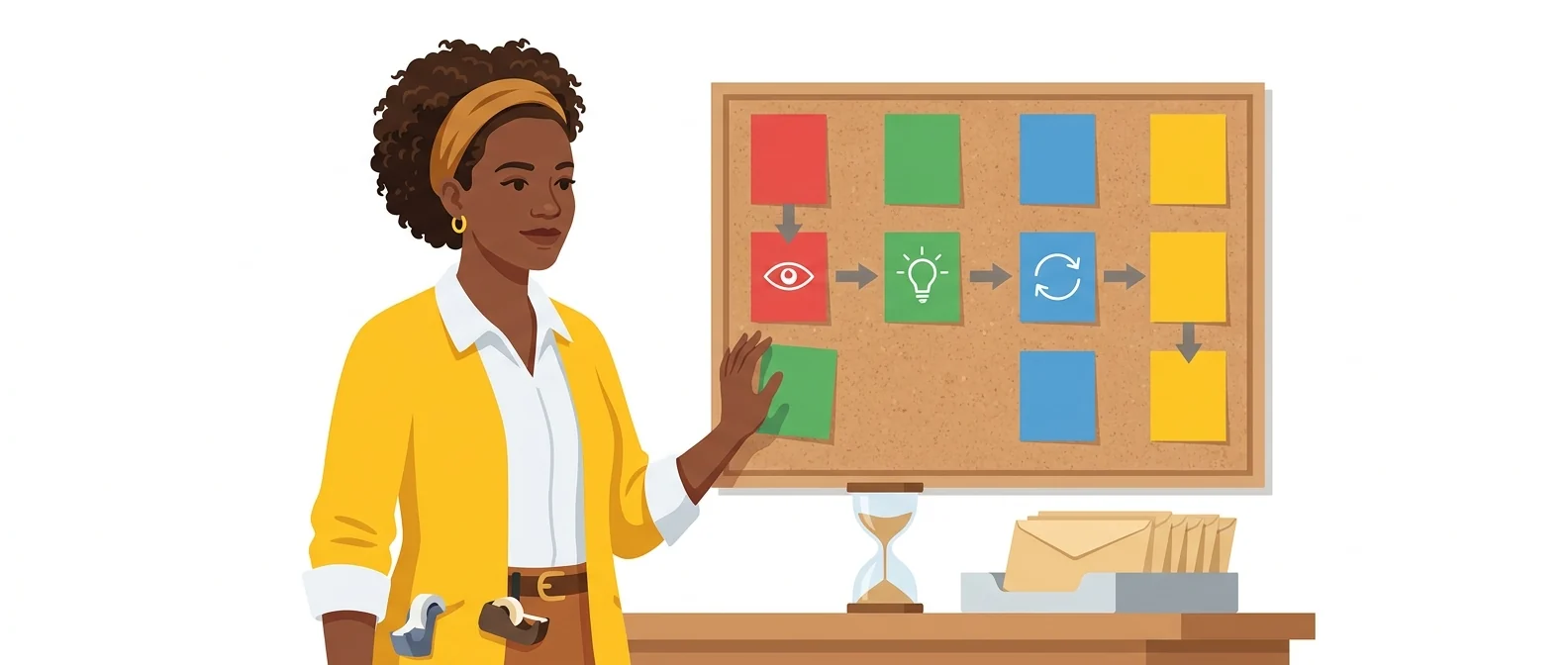
You can chain conditions: send a case study three days after someone downloads a resource, then send a consultation offer only to those who opened it. The point of this tool is building a flow that runs without anyone pressing Send each time.
Turns results back into numbers
See right on screen who opened, which links they clicked, and which subject line did better. A built-in test sends two subject lines to different parts of your list and compares the results, so you can improve the next issue from data, not guesswork.
Connects with many other tools
It connects widely with online store, survey, advertising, and customer management tools, and through Zapier or Make it can link to internal systems too. Few connect directly to Korean services, but adding an automation tool in between solves most cases.
⚖️ The weaknesses are clear, too
The admin interface isn’t available in Korean (it offers English, Spanish, French, Portuguese, German, and Italian). The tool doesn’t handle Korean opt-in consent management or the (Ad) label in the subject line, so someone on your team must do both manually, and costs climb quickly as your contact list grows.
💡 In plain EnglishIt’s less a mailbox for sending email than a wiring diagram that maps out which letter each customer receives, depending on the path they take.
Most discussions of marketing automation in Korea start from this tool’s concepts. Once you’ve worked hands-on with terms like journeys, segments, and A/B tests, you’ll know what to compare when choosing other tools too.
Same job, different approach
200 people have downloaded your white paper
The old way
- Open a spreadsheet to find out who got what
- Send follow-up emails by hand whenever you remember
- After two weeks, nobody remembers the list
- Whether anyone responded is anyone’s guess
Alongside Mailchimp
- The first thank-you email goes out the moment someone downloads
- A case study follows after three days, a consultation offer after seven
- Only the people who clicked the link are grouped together and handed to sales
- A table shows where people dropped off, so you can fix it next time
Common uses
Follow-up after a download
People who download a white paper or checklist get a series of case studies and offers a few days apart. The sequence keeps running even if no one remembers to send the next email.
Subject line A/B test
Send the same content with different subject lines to a small group first, then send the better performer to everyone else. It builds the evidence for your next issue.
Win back dormant customers
Pull out contacts who haven’t opened an email in months and send them one message in a different tone. If they don’t respond, remove them from your list.
Who it’s for
Best for
- ✓Anyone who wants to design a full flow, not just a single email
- ✓Teams sending to overseas customers or publishing English newsletters
- ✓Teams linking email to an online store or web service
Better served by other tools
- –Anyone uncomfortable with an English interface
- –Teams who want the tool to handle Korean opt-in consent requirements
- –Teams whose main channels are text messages and Kakao notifications
Can we use it at work?
The questions that adoption leads and security teams ask first.
Please note: Ask legal counsel which cross-border data transfer notices, consent requirements and data-processing agreements apply to your company. Also recheck each plan’s data-handling terms against the original terms of service before adopting it.
10-minute quick start
- 1
Sign up at mailchimp.com and verify your company domain as the sender address.
- 2
Create one contact list (Audience) and upload only addresses that have given consent.
- 3
Build one email from a template and send a test to your own address.
- 4
Pick a single event, such as a signup or a download, and build just one branch of an automated Customer Journey.
Copy-and-paste prompts
Replace only the [bracketed] parts, then paste it in.
Our company is [business description], and we want to send follow-up emails to contacts who downloaded [white paper name]. Design a 4-email sequence, from the first email to a consultation offer. In a table, list each email’s send timing, purpose, 2 subject line options, and key points for the body.
Turn the news below into three separate emails for three types of readers: ① customers who have purchased, ② prospects who only downloaded a resource, ③ a dormant list that hasn’t opened an email in 6+ months. Use a different first paragraph and call to action for each.

[News content]
Using the email body below, create 5 pairs of subject lines for A/B testing. Each pair must make clear what is being tested (with or without numbers, question format or not, company name shown or not, etc.). For each pair, add one line saying what is being compared.

[Paste body text]
Translate the Korean newsletter below into English for overseas customers. Don’t translate literally: adapt it to English-language business email conventions, and explain in one line any context only Korean readers would know.

[Korean original]
Below is a table of recent campaign results. Point out which flows are working and where people drop off, then suggest 3 things to change next month, in priority order. Mark anything the table alone can’t confirm as 'Needs verification'.

[Paste table]
Using it with other tools
Linking two or three tools changes your work more than any single tool does.
Survey response → automatic follow-up email
Stibee for Korea, Mailchimp for global
Before you start
- Don’t upload addresses collected without consent. Using an overseas tool doesn’t exempt you from Korean regulations.
- For promotional emails, someone must add the (Ad) label to the subject line and the unsubscribe notice by hand.
- If you keep contacts without deleting them, your bill quietly goes up. Clean out inactive contacts.
- Don’t paste customer contact files into an AI input box. Share only the draft’s content, and take the draft back.
Pricing: personal use and work use
Plans that individuals pay for are different from plans that organizations contract for by member.
For individual use
Up to 250 contacts · 500 sends per month or 250 per day
Basic automation and A/B testing. Monthly send limit is 10x your contact count
Includes customer journey design and generative AI features. Monthly send limit is 12 times your contact count.
Using it at work
Multiple users and advanced reports. Monthly send limit is 15x your contact count
Checked 2026-09-21 · US dollar amounts shown on Mailchimp’s official pricing page. Even on the same plan, the monthly price rises with the number of contacts, and taxes and currency display may differ by the country you access from. Prices change without notice — check the official page before you pay. Mailchimp official pricing ↗ · Mailchimp marketing plan comparison ↗
Mailchimp’s drawbacks
We don’t just list the positives. Here is what fell short when we used it.
- Even when it’s urgent, you have to ask for help in English
Support and help docs aren’t available in Korean, so when a send is blocked and time is short, you have to write in English. Add the time difference, and your announcement schedule slips while you wait for a reply.
- Templates don’t handle Korean text well
The default templates are built around English, so Korean headlines break awkwardly across lines or look oversized. You usually end up readjusting margins and font sizes by hand.
- The free 250 contacts run out fast
The free plan caps you at 250 contacts, so a few training announcements or newsletters will soon hit the limit. As soon as your list grows even a little, you’ll need to consider a paid plan.
Tools to compare
 StibeeEmail newsletter creation and delivery platform→
 HubspotCRM, marketing automation, sales automation→
 ZapierThe world’s largest workflow automation tool→
FAQ
Last updated 22 Sep 2026 · The ratings on this page come from John Kim, CEO of Nanum Consulting, who has used these tools firsthand in training and real work.
Mailchimp, built around your team’s capabilities
Send us a message and we’ll reply within 24 hours. We’ll propose a curriculum tailored to your industry and job roles.
Courses that teach this toolAI Tools Training (by Use Case)