Hands-on Work Automation with AI Agents
From file automation to your own work web app, finished in one day with no code
"Spreadsheet cleanup, reports, quotes… are you still doing that weekly routine by hand?" This one-day (8-hour) intensive workshop is designed so you can automate your own work without knowing a single line of code. In the morning, you use Claude Cowork to automate files such as spreadsheets, PDFs and images. In the afternoon, you use Claude Code (vibe coding) to build your own work web app that turns your input into results, each on your own laptop. The core is one way of thinking, the IPO method: break every task into three steps — Input (I), Processing (P) and Output (O). In a single day you learn that 'it only felt hard because I never tried; it isn’t hard once you do'. Then you deploy and share your automation and confirm the results through ROI (time saved). It is a hands-on course where you build everything yourself, start to finish, not just watch.
💻 Start learning this topic with an online course →Who is this course for?
It isn’t limited to any one industry. It suits any practitioner or team lead who loses time to Excel, documents, and admin work that repeats every day or week. This is a stand-alone course you can take on its own. Taking the AI Fundamentals course first makes it easier, but even if you’re starting from scratch, we build the IPO mindset together from the beginning.
What will you learn?
- Break every repetitive task into input (I), processing (P), and output (O), and tell structured (easy) from unstructured (hard) work to prioritize automation yourself
- Connect a folder with Claude Cowork and write IPO-based prompts to automate file-handling work such as Excel, PDF, and images, with no code
- Use Claude Code (vibe coding) to build your own work web app, where you enter input and get results, in a 5-step cycle: idea, plan, execute, revise, save
- Deploy your finished automation and web app with free hosting and share links, then connect them to always-on automation with folder triggers and schedulers
- Follow sensitive-data protection rules, quantify results with Before/After ROI (time saved), and draft a plan to roll out across your team
Curriculum
- Not a grand company-wide DX program, but just one task you repeat every day or week — start small and build a success story first
- Break down any task into three stages: input (I), processing (P), and output (O) (e.g., label photos or Excel → calculate by rules → Excel, PDF, or text alert)
- Structured (clear numbers and rules = easy) vs. unstructured (mixed with emotion and judgment = hard) — deciding where to start automating
- Cowork for file outputs, Code when you need a screen (app) — how to choose between the two tools
- [Hands-on] Fill in your Task worksheet — break one repetitive task you want to automate into input, processing rules, and output
- 3 steps to connect a folder (connect → choose a working folder → read/write permission) + the principle of never connecting sensitive folders
- How to write IPO-based prompts — specify the input, processing rules, and output format (down to the saved file name)
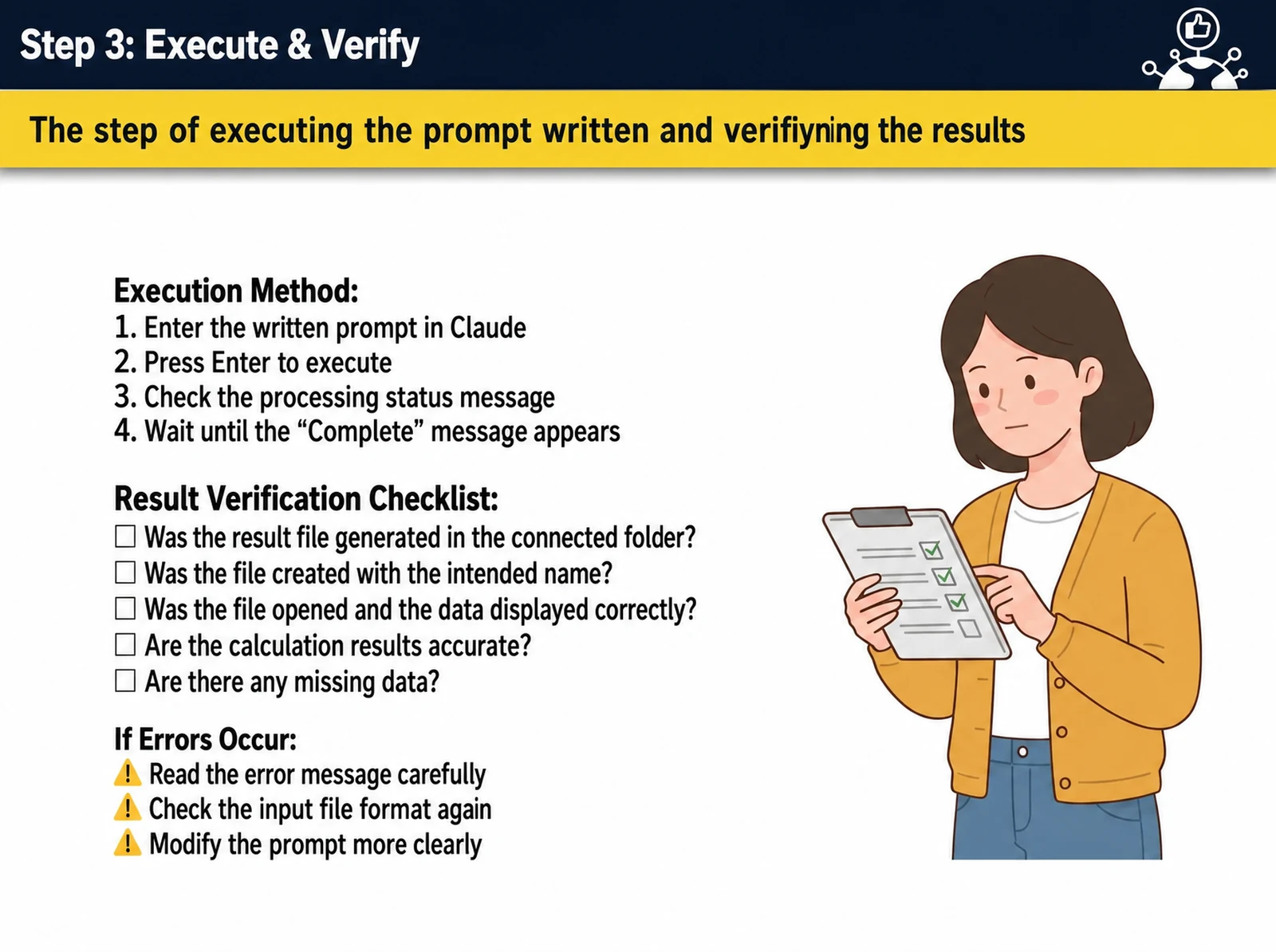
- Run & verify checklist — confirm the result file was created, file names are right, calculations are accurate and nothing is missing
- Revising in plain language — request data additions, format changes, and filter adjustments 'one at a time'
- 5 common mistakes and how to fix them: unconnected folders, vague prompts, overloaded requests, skipped checks, ignored errors
- [Hands-on] Automate one of your own repetitive tasks with a file automation (job-specific assignments such as sales and profit by client, cash in/out closing, research and summaries, CS and complaint statistics, deadline and risk alerts, bulk quote generation)
- The vibe coding concept — describe the result you want in plain language instead of code syntax; the goal is a working result, not perfect code
- [Build together] A 5-step quote calculator web app — idea (what) → plan (confirm structure) → execute (generate code, preview) → revise (fix in plain language) → save (create a share URL)
- Common edit requests — automatic VAT calculation, thousands separators, input validation, conditional colors, copy/reset buttons, loading indicators
- [Hands-on] Build your own work web app — lookup dashboard, search and matching app, deadline alert app, calculator or document generator, and more
- Fixing 5 common errors — number type mismatches, reconnecting button events, upload size limits, broken responsive layouts, and garbled Korean text (UTF-8)
- Polishing the UI — request patterns for improving colors, layout, text, and mobile responsiveness
- 3 steps to deploy — save as HTML → free hosting (GitHub Pages, Netlify, Vercel) → share link, plus a tip for quick temporary links
- Connecting Cowork and Code automations — design always-on automation scenarios with folder triggers, schedulers, and webhooks
- Security rules — never upload Korean resident registration numbers, bank accounts, confidential documents or customer personal information; use dummy or pseudonymized data; 'if in doubt, leave it out'
- Version control — back up every working version immediately (v1_working_date); measuring results (ROI) — quantify time saved with Before/After
- Commitment to action and team rollout — use it on real work 3 times, pick a second automation, share it with 1 colleague → Q&A
Tools used in this course
Expected results / After the course
- Put the file automation and work web app you build in one day to use on the job the next day
- Sharply cut the time spent on repetitive manual work (example: 9 hours saved per month, 108 hours per year)
- Build your own work tools without knowing code, and gain the skills to spread the method across your organization
About the instructor

Related courses
Start with an Online Course
Before you book on-site training, preview the essentials of this topic in an online course.
An introductory hands-on course for building work tools that run on plain conversational instructions.
Use AI in your daily work, from lesson prep to content creation.
We tailor this course to your company
From diagnosis to execution — Nanum Consulting
FAQ

Hands-on Work Automation with AI Agents
From file automation to your own work web app, finished in one day with no code
- Break every repetitive task into input (I), processing (P), and output (O), and tell structured (easy) from unstructured (hard) work to prioritize automation yourself
- Connect a folder with Claude Cowork and write IPO-based prompts to automate file-handling work such as Excel, PDF, and images, with no code
- Use Claude Code (vibe coding) to build your own work web app, where you enter input and get results, in a 5-step cycle: idea, plan, execute, revise, save
- Deploy your finished automation and web app with free hosting and share links, then connect them to always-on automation with folder triggers and schedulers
- Follow sensitive-data protection rules, quantify results with Before/After ROI (time saved), and draft a plan to roll out across your team
- Put the file automation and work web app you build in one day to use on the job the next day
- Sharply cut the time spent on repetitive manual work (example: 9 hours saved per month, 108 hours per year)
- Build your own work tools without knowing code, and gain the skills to spread the method across your organization
- Not a grand company-wide DX program, but just one task you repeat every day or week — start small and build a success story first
- Break down any task into three stages: input (I), processing (P), and output (O) (e.g., label photos or Excel → calculate by rules → Excel, PDF, or text alert)
- Structured (clear numbers and rules = easy) vs. unstructured (mixed with emotion and judgment = hard) — deciding where to start automating
- Cowork for file outputs, Code when you need a screen (app) — how to choose between the two tools
- [Hands-on] Fill in your Task worksheet — break one repetitive task you want to automate into input, processing rules, and output
- 3 steps to connect a folder (connect → choose a working folder → read/write permission) + the principle of never connecting sensitive folders
- How to write IPO-based prompts — specify the input, processing rules, and output format (down to the saved file name)
- Run & verify checklist — confirm the result file was created, file names are right, calculations are accurate and nothing is missing
- Revising in plain language — request data additions, format changes, and filter adjustments 'one at a time'
- 5 common mistakes and how to fix them: unconnected folders, vague prompts, overloaded requests, skipped checks, ignored errors
- [Hands-on] Automate one of your own repetitive tasks with a file automation (job-specific assignments such as sales and profit by client, cash in/out closing, research and summaries, CS and complaint statistics, deadline and risk alerts, bulk quote generation)
- The vibe coding concept — describe the result you want in plain language instead of code syntax; the goal is a working result, not perfect code
- [Build together] A 5-step quote calculator web app — idea (what) → plan (confirm structure) → execute (generate code, preview) → revise (fix in plain language) → save (create a share URL)
- Common edit requests — automatic VAT calculation, thousands separators, input validation, conditional colors, copy/reset buttons, loading indicators
- [Hands-on] Build your own work web app — lookup dashboard, search and matching app, deadline alert app, calculator or document generator, and more
- Fixing 5 common errors — number type mismatches, reconnecting button events, upload size limits, broken responsive layouts, and garbled Korean text (UTF-8)
- Polishing the UI — request patterns for improving colors, layout, text, and mobile responsiveness
- 3 steps to deploy — save as HTML → free hosting (GitHub Pages, Netlify, Vercel) → share link, plus a tip for quick temporary links
- Connecting Cowork and Code automations — design always-on automation scenarios with folder triggers, schedulers, and webhooks
- Security rules — never upload Korean resident registration numbers, bank accounts, confidential documents or customer personal information; use dummy or pseudonymized data; 'if in doubt, leave it out'
- Version control — back up every working version immediately (v1_working_date); measuring results (ROI) — quantify time saved with Before/After
- Commitment to action and team rollout — use it on real work 3 times, pick a second automation, share it with 1 colleague → Q&A