B2B Sales Lead Generation Automation with AI Agents
From lead classification to tailored proposals in 4 hours
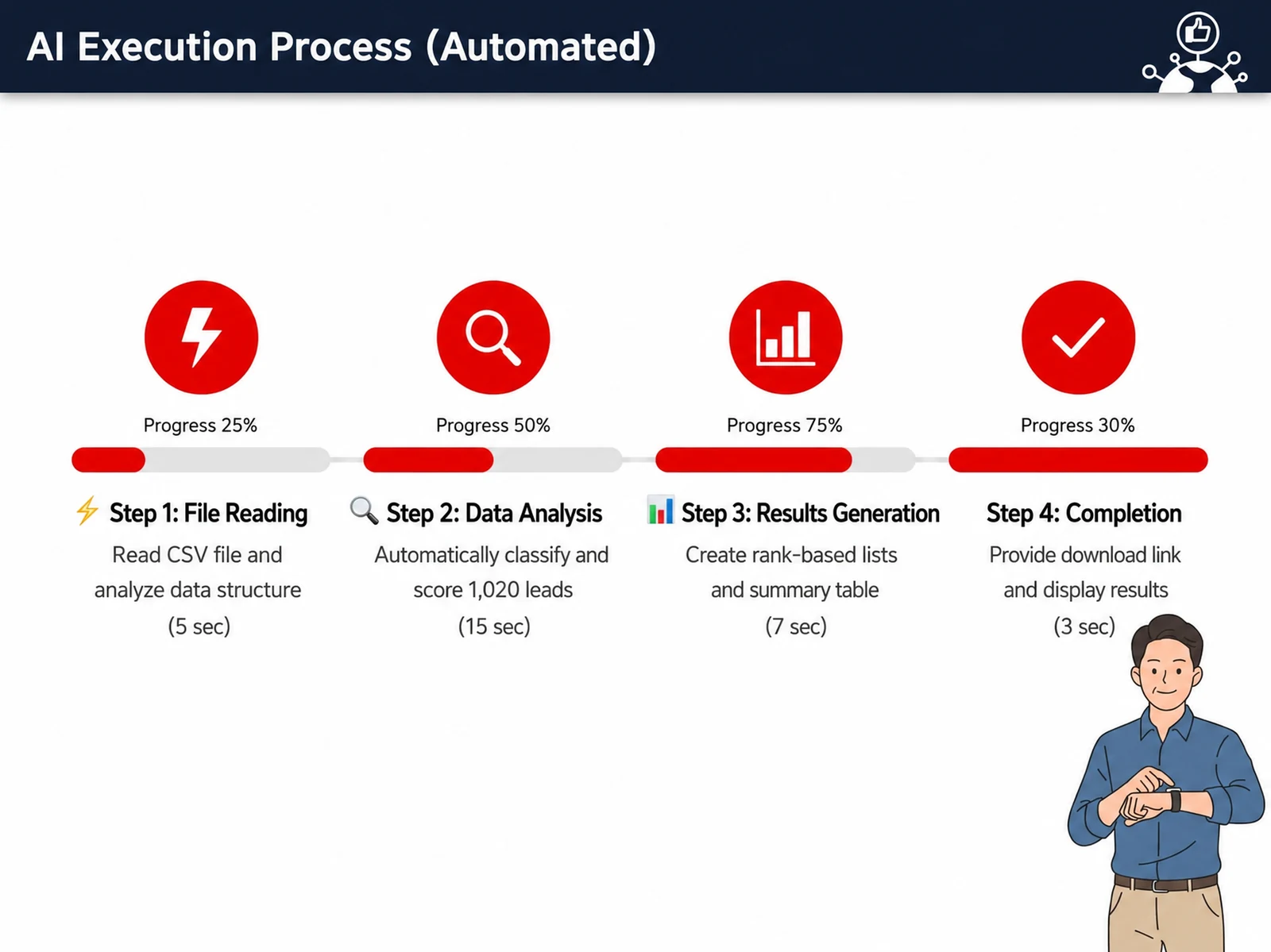
A hands-on workshop that turns a pile of idle leads into real revenue. Participants bring a real lead CSV from their own company and, with Claude agents, (1) automatically classify leads into A/B/C grades, (2) analyze segments by industry, and (3) extract priority contacts. They then use vibe coding to finish a “select a lead → auto-generate a tailored proposal” web app on their own laptops. This is not a spectator session. It is a 4-hour intensive (demonstration:practice = 2:2) in which you build everything yourself, start to finish.
💻 Start learning this topic with an online course →Who is this course for?
Ideal for B2B sales reps and team leads with piles of leads they can’t put to use, and for marketing and sales practitioners adopting AI in their sales work for the first time. It is not limited to any one industry: it is a general-purpose course where each participant practices with their own company’s leads and products.
What will you learn?
- Understand the difference between chatbots and agentic AI, and identify which repetitive sales tasks to automate
- Use Claude Cowork to automatically classify your leads into A/B/C grades and analyze segments by industry
- Extract the “top priority leads to contact” based on data
- Use Claude Code (vibe coding) to build a web app that lets you 'select a lead → auto-generate a tailored proposal'
- Complete the workflow of auto-generating proposals and call/email scripts, then saving and sharing them as PDFs
Curriculum
- A historic turning point – chatbots vs. agentic AI: what is fundamentally different?
- “A digital sales rep by my side” – the 4 core functions of agentic AI
- Automation priority #1 – diagnosing the top 5 repetitive tasks in sales
- Overview of today’s two tools (Claude Cowork and Claude Code) and what each is used for
- 5 prompt-writing principles that drive results
- [Sample exercise] Create a Cowork project & upload your company’s lead CSV
- Prompt ①: Auto-grade leads A/B/C — design the criteria together, then run it live
- Prompt ②: Segment analysis by industry — decide where to focus sales resources
- Prompt ③ Extract the top 20 leads to contact first – complete a data-driven call list
- 3 tips for optimizing CSV files — column cleanup, encoding, and handling missing values
- 3 common errors and how to fix them on the spot
- Deliverables – grade table + segment report + priority list
- Cowork vs. Code – criteria for deciding which to use and when
- Vibe coding in 3 steps — Review (confirm what Claude sees) → Plan (agree on the blueprint) → Go (start execution)
- Gather inputs for your web app – set up your company’s product materials (catalogs, spec sheets)
- Step-by-step build — specify the app → generate → run → pick a company → auto-generate a proposal
- Using the results – save as PDF and auto-generate call/email scripts
- Deliverable – one “custom proposal generator for your company” web app
- Extensions — add data / customize the design / share the app with your team or organization
- Safety rules & troubleshooting guide – key checkpoints for real-world rollout
- 3 real-world scenarios — post-trade-show follow-up, new lead response, and regular campaigns
- Build an action plan for your team – what will you automate starting tomorrow?
- Key takeaways & next steps
Tools used in this course
Expected results / After the course
- Put the lead grade table, segment report, and priority list you finish in the session to work right away
- Leave with one proposal generator web app tailored to your own products
- Significantly cut the repetitive work between lead cleanup and proposal writing
About the instructor

Related courses
Start with an Online Course
Before you book on-site training, preview the essentials of this topic in an online course.
An introductory hands-on course for building work tools that run on plain conversational instructions.
Use AI in your daily work, from lesson prep to content creation.
An introductory course on how B2B markets are structured and how purchasing decisions are made, taught through real-world cases.
We tailor this course to your company
From diagnosis to execution — Nanum Consulting
FAQ

B2B Sales Lead Generation Automation with AI Agents
From lead classification to tailored proposals in 4 hours
- Understand the difference between chatbots and agentic AI, and identify which repetitive sales tasks to automate
- Use Claude Cowork to automatically classify your leads into A/B/C grades and analyze segments by industry
- Extract the “top priority leads to contact” based on data
- Use Claude Code (vibe coding) to build a web app that lets you 'select a lead → auto-generate a tailored proposal'
- Complete the workflow of auto-generating proposals and call/email scripts, then saving and sharing them as PDFs
- Put the lead grade table, segment report, and priority list you finish in the session to work right away
- Leave with one proposal generator web app tailored to your own products
- Significantly cut the repetitive work between lead cleanup and proposal writing
- A historic turning point – chatbots vs. agentic AI: what is fundamentally different?
- “A digital sales rep by my side” – the 4 core functions of agentic AI
- Automation priority #1 – diagnosing the top 5 repetitive tasks in sales
- Overview of today’s two tools (Claude Cowork and Claude Code) and what each is used for
- 5 prompt-writing principles that drive results
- [Sample exercise] Create a Cowork project & upload your company’s lead CSV
- Prompt ①: Auto-grade leads A/B/C — design the criteria together, then run it live
- Prompt ②: Segment analysis by industry — decide where to focus sales resources
- Prompt ③ Extract the top 20 leads to contact first – complete a data-driven call list
- 3 tips for optimizing CSV files — column cleanup, encoding, and handling missing values
- 3 common errors and how to fix them on the spot
- Deliverables – grade table + segment report + priority list
- Cowork vs. Code – criteria for deciding which to use and when
- Vibe coding in 3 steps — Review (confirm what Claude sees) → Plan (agree on the blueprint) → Go (start execution)
- Gather inputs for your web app – set up your company’s product materials (catalogs, spec sheets)
- Step-by-step build — specify the app → generate → run → pick a company → auto-generate a proposal
- Using the results – save as PDF and auto-generate call/email scripts
- Deliverable – one “custom proposal generator for your company” web app
- Extensions — add data / customize the design / share the app with your team or organization
- Safety rules & troubleshooting guide – key checkpoints for real-world rollout
- 3 real-world scenarios — post-trade-show follow-up, new lead response, and regular campaigns
- Build an action plan for your team – what will you automate starting tomorrow?
- Key takeaways & next steps