Build AI That Answers from Your Own Data — Intro to RAG
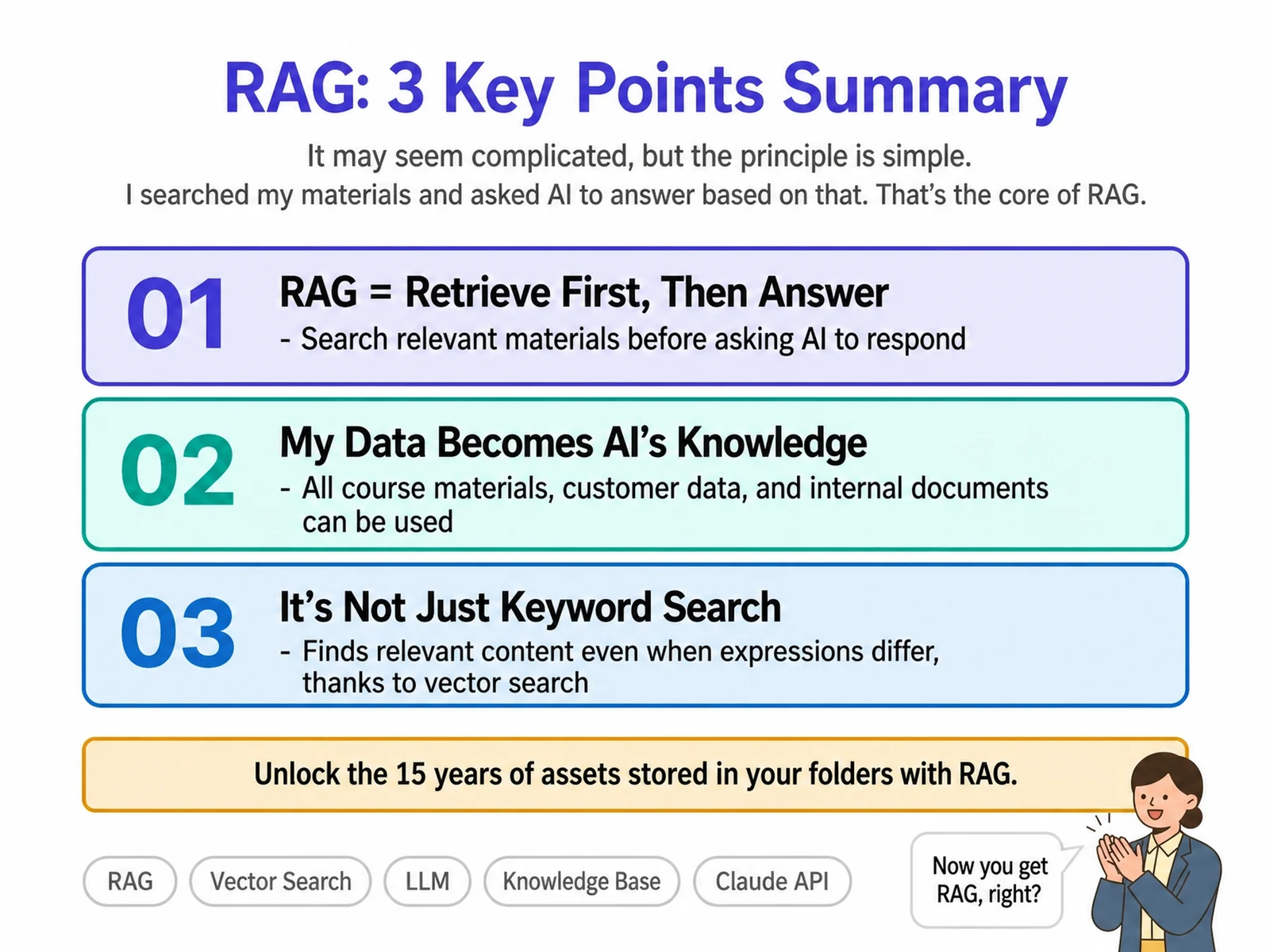
A focused 4-hour hands-on course in which you build a custom AI system connected to your company’s work data using RAG (Retrieval-Augmented Generation). Led by John Kim, CEO of Nanum Consulting, you go step by step from core RAG concepts to designing an architecture that connects company documents, then build a working system with Supabase and Voyage AI. Alongside the theory, you build a RAG system you can use in your own workplace, so you leave able to develop AI solutions tailored to your company’s data. Going beyond general ChatGPT use, you create a custom AI grounded in your organization’s specialized knowledge and data, which can significantly improve work efficiency and decision accuracy. The curriculum is proven in Nanum Consulting’s training for 50+ major corporations and institutions.
💻 Start learning this topic with an online course →Who is this course for?
This course suits practitioners and leaders at companies and institutions that want to build AI and IT skills. It is especially recommended for organizations aiming to understand RAG and build AI connected to their business data.
What will you learn?
- Gain the ability to understand RAG technology and build AI connected to your work data
Curriculum
- The generative AI hallucination problem – analyzing why ungrounded answers are generated, with case studies
- Defining RAG (Retrieval-Augmented Generation) – understanding how document retrieval and generation are combined
- Comparing conventional AI and RAG – analyzing differences in accuracy, reliability, and enterprise usability
- The business value of adopting RAG – protecting confidential company data, using up-to-date information, and cost efficiency
- How RAG resolves hallucinations – analyzing the process of generating answers grounded in real data
- The full RAG architecture flow – understanding each stage: embedding, vector store, retrieval, and generation
- Supabase vector database structure – how document storage, vectorization, and search work
- The role of the Voyage AI embedding model – hands-on practice converting text into high-dimensional vectors
- Document preprocessing and chunking strategy – methods for splitting long documents into optimal sizes
- How semantic search works – finding documents by meaning, not keywords
- Vector similarity calculation and ranking – understanding the criteria for judging the relevance of retrieved documents
- Connecting to Claude – feeding search results into the prompt to generate the final answer
- Creating a Supabase project and setting up vector tables – building a database in a real cloud environment
- Connecting the Voyage AI API and generating embeddings – converting sample documents into vectors and storing them
- Using no-code tools (Make, Zapier) – an automated workflow from document upload to vectorization
- A RAG application prototype built with Claude Code – a working chat interface
- Evaluating search result quality and tuning parameters – adjusting Top-K values and similarity thresholds
- Testing and deploying your RAG system – verifying it works with a variety of questions and sharing it
- Creating a Supabase project and setting up vector tables – building a database in a real cloud environment
- Connecting the Voyage AI API and generating embeddings – converting sample documents into vectors and storing them
- Using no-code tools (Make, Zapier) – an automated workflow from document upload to vectorization
- A RAG application prototype built with Claude Code – a working chat interface
- Evaluating search result quality and tuning parameters – adjusting Top-K values and similarity thresholds
- Testing and deploying your RAG system – verifying it works with a variety of questions and sharing it
Tools used in this course
Expected results / After the course
- Build an AI answer system grounded in your company documents
On-site training references
About the instructor

Related courses
Start with an Online Course
Before you book on-site training, preview the essentials of this topic in an online course.
An introductory hands-on course for building work tools that run on plain conversational instructions.
Use AI in your daily work, from lesson prep to content creation.
We tailor this course to your company
From diagnosis to execution — Nanum Consulting
FAQ

Build AI That Answers from Your Own Data — Intro to RAG
A focused 4-hour hands-on course in which you build a custom AI system connected to your company’s work data using RAG (Retrieval-Augmented Generation)
- Gain the ability to understand RAG technology and build AI connected to your work data
- Build an AI answer system grounded in your company documents
- The generative AI hallucination problem – analyzing why ungrounded answers are generated, with case studies
- Defining RAG (Retrieval-Augmented Generation) – understanding how document retrieval and generation are combined
- Comparing conventional AI and RAG – analyzing differences in accuracy, reliability, and enterprise usability
- The business value of adopting RAG – protecting confidential company data, using up-to-date information, and cost efficiency
- How RAG resolves hallucinations – analyzing the process of generating answers grounded in real data
- The full RAG architecture flow – understanding each stage: embedding, vector store, retrieval, and generation
- Supabase vector database structure – how document storage, vectorization, and search work
- The role of the Voyage AI embedding model – hands-on practice converting text into high-dimensional vectors
- Document preprocessing and chunking strategy – methods for splitting long documents into optimal sizes
- How semantic search works – finding documents by meaning, not keywords
- Vector similarity calculation and ranking – understanding the criteria for judging the relevance of retrieved documents
- Connecting to Claude – feeding search results into the prompt to generate the final answer
- Creating a Supabase project and setting up vector tables – building a database in a real cloud environment
- Connecting the Voyage AI API and generating embeddings – converting sample documents into vectors and storing them
- Using no-code tools (Make, Zapier) – an automated workflow from document upload to vectorization
- A RAG application prototype built with Claude Code – a working chat interface
- Evaluating search result quality and tuning parameters – adjusting Top-K values and similarity thresholds
- Testing and deploying your RAG system – verifying it works with a variety of questions and sharing it
- Creating a Supabase project and setting up vector tables – building a database in a real cloud environment
- Connecting the Voyage AI API and generating embeddings – converting sample documents into vectors and storing them
- Using no-code tools (Make, Zapier) – an automated workflow from document upload to vectorization
- A RAG application prototype built with Claude Code – a working chat interface
- Evaluating search result quality and tuning parameters – adjusting Top-K values and similarity thresholds
- Testing and deploying your RAG system – verifying it works with a variety of questions and sharing it