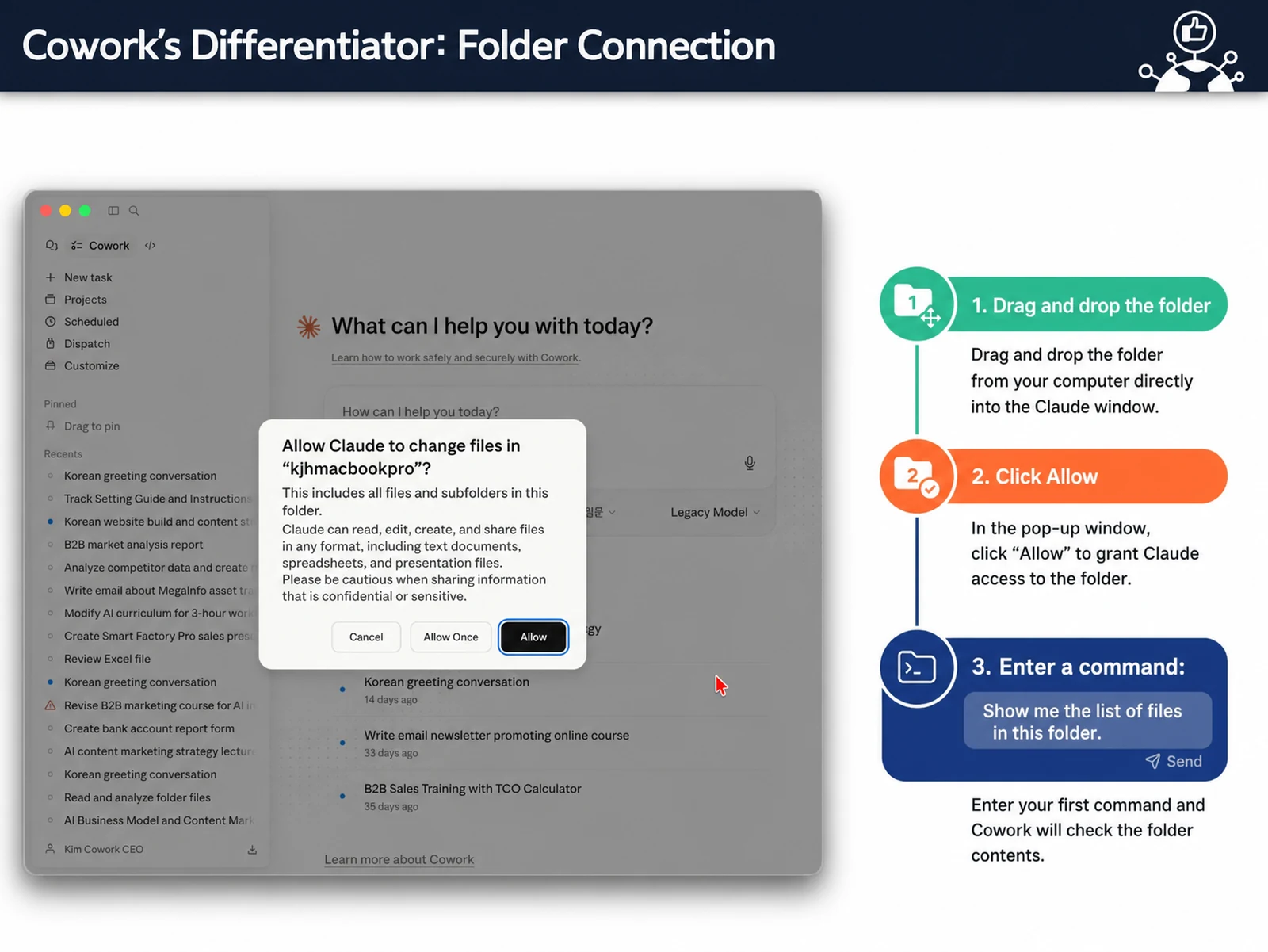
The Claude Cowork Core Features course is a 4-hour intensive program for professionals at the forefront of AI automation, taking you from understanding Claude Cowork’s core features to building your own custom automation tools. Led personally by John Kim, CEO of Nanum Consulting, this course is built around four core modules: understanding the agentic AI era, hands-on Claude Cowork setup, building automation tools, and live deployment. Going beyond theory, it is a hands-on course where you build automation solutions you can apply to your work right away. Participants use AI automation tools to work more efficiently and boost productivity, and they leave able to build their own custom automation systems. The curriculum draws on Nanum Consulting’s experience training 50+ major corporations and institutions.
💻 Start learning this topic with an online course →Who is this course for?
Ideal for corporate practitioners who want to boost work efficiency with AI automation tools. Especially practical for members of marketing, content, and planning teams who handle video content production and planning.
What will you learn?
- Understanding Claude Cowork core features and building automation tools
Curriculum
- The key difference between chatbots and agentic AI
- How Claude Cowork changes the way you work
- Identify which parts of your work can be automated
- Self-assessment of your AI proficiency
- Analysis of corporate adoption cases in Korea and abroad
- What you can achieve with this course
- Installing and setting up Claude Cowork
- Hands-on practice with Excel, PowerPoint, and Chrome integration
- An IPO strategy that works without prompts
- Designing a 5-level smart folder structure
- Giving AI context with memory files
- Saving templates to eliminate repeated mistakes
- Three-step conversion: Excel data → insights → web app
- Design your own custom CRM without coding
- Hands-on practice converting YouTube videos and PDFs automatically
- Integration with Google Workspace, Slack, and Notion
- Hands-on: free deployment with GitHub Pages
- Real-world corporate use cases
- Demo: auto-generating emails and curricula
- Set up unattended operation with recurring schedules
- Choosing between Claude Cowork and AI Studio
- Build an automation roadmap tailored to your work
- A practical checklist you can use right after the course
- Q&A and personal guidance on applying what you learn
Tools used in this course
Expected results / After the course
- Build your own work automation setup, no coding required
On-site training references
About the instructor

Related courses
Start with an Online Course
Before you book on-site training, preview the essentials of this topic in an online course.
An introductory hands-on course for building work tools that run on plain conversational instructions.
Use AI in your daily work, from lesson prep to content creation.
We tailor this course to your company
From diagnosis to execution — Nanum Consulting
FAQ

Claude Cowork Core Features
The Claude Cowork Core Features course is a 4-hour intensive program for professionals at the forefront of AI automation, covering everything from the core features of Claude Cowork to customized
- Understanding Claude Cowork core features and building automation tools
- Build your own work automation setup, no coding required
- The key difference between chatbots and agentic AI
- How Claude Cowork changes the way you work
- Identify which parts of your work can be automated
- Self-assessment of your AI proficiency
- Analysis of corporate adoption cases in Korea and abroad
- What you can achieve with this course
- Installing and setting up Claude Cowork
- Hands-on practice with Excel, PowerPoint, and Chrome integration
- An IPO strategy that works without prompts
- Designing a 5-level smart folder structure
- Giving AI context with memory files
- Saving templates to eliminate repeated mistakes
- Three-step conversion: Excel data → insights → web app
- Design your own custom CRM without coding
- Hands-on practice converting YouTube videos and PDFs automatically
- Integration with Google Workspace, Slack, and Notion
- Hands-on: free deployment with GitHub Pages
- Real-world corporate use cases
- Demo: auto-generating emails and curricula
- Set up unattended operation with recurring schedules
- Choosing between Claude Cowork and AI Studio
- Build an automation roadmap tailored to your work
- A practical checklist you can use right after the course
- Q&A and personal guidance on applying what you learn